
Published 2025-10-17.
Last modified 2026-01-14.
Time to read: 4 minutes.
llm collection.
OpenAI Codex is a specialized artificial intelligence system designed to translate natural language into code. As of early 2026, it has evolved from a model into a suite of autonomous coding agents used for software development tasks. Codex was trained extensively on public code and supports over a dozen programming languages, including Python, JavaScript, Go, PHP, and Ruby.
The depth of language support varies depending on how much training data was available for each language and how commonly it appears in open source repositories. Languages like JavaScript, Python, and Java tend to have the strongest support due to their prevalence in the training data, while more specialized or newer languages may have somewhat limited support. Codex also understands markup languages like HTML and CSS, configuration files like JSON and YAML, and can work with database query languages like SQL. This broad language support means developers can use Codex across different parts of their technology stack without switching tools.
Beyond just syntax support, Codex understands the idiomatic patterns and best practices specific to each language. For example, when working with Python, it understands concepts like list comprehensions, decorators, and context managers. In JavaScript, it grasps concepts like promises, async/await, and modern ES6+ features. This contextual understanding allows Codex to generate code that not only works but follows the conventions and patterns that experienced developers in each language would expect. The system can also translate concepts between languages, helping developers port functionality from one language to another while maintaining appropriate language-specific implementations.
Modern Codex versions operate as coding agents that can analyze entire codebases, implement features, and manage pull requests. Codex can reason about images, so users can provide screenshots or sketches to explain problems, and Codex can generate corresponding web pages or application interfaces. The latest iteration, GPT-5.2-Codex, uses adaptive reasoning to provide quick responses for simple tasks while applying deeper reasoning for complex architectural changes.
ChatGPT, based on GPT-4 and 5, is a more generalized language model used for conversational AI, creative writing, complex reasoning, and general knowledge. Newer GPT models have incorporated strong coding abilities, often surpassing older Codex versions in coding tasks, making the choice dependent on whether you need deep code specialization or flexible, general-purpose AI with strong coding such as GPT-5.
Code review capability is a major strength of Codex. It can identify critical, system-level bugs that human reviewers or other tools might miss.
Criticisms
- Some users report that Codex is slower than other agents because it reasons thoroughly before acting. For me, having spent an inordinate amount of time trying to control impulsive LLMs like MiniMax-M2, this is a terrific feature, not a problem.
- Its command-line interface (CLI) is considered less polished than Claude CLI.
-
Codex is often described as "unfriendly" or "robotic" because it focuses
purely on the task and provides minimal conversational feedback, which might
not suit developers who prefer a "pair-programming" style of interaction.
Quality conversation is important to me. This requires context that spans the entire conversation, which is difficult to provide. Gemini outperforms Codex in this regard. To properly assess conversational ability, a non-trivial task is required.
Native Windows vs. WSL2
Codex requires Windows Subsystem for Linux (WSL2) instead instead of native Windows. WSL2 is a real Linux kernel inside a lightweight, managed virtual machine running under native Windows using Hyper-V.
Instead, you can use Windows Subsystem for Linux (WSL2). WSL2 gives you a Linux shell, Unix-style semantics, and tooling that match many tasks that models see in training.
Available Interfaces
The available interfaces are described here.
- Codex CLI: A lightweight, open-source terminal agent that runs commands securely on your local machine to edit files and build applications.
- IDE Extensions: Integration for popular editors like Visual Studio Code and Cursor, providing real-time code collaboration. (Cursor is just a customized version of Visual Studio Code.)
- Codex Cloud: A web-based workspace for managing agentic tasks, automatic code reviews, and remote development.
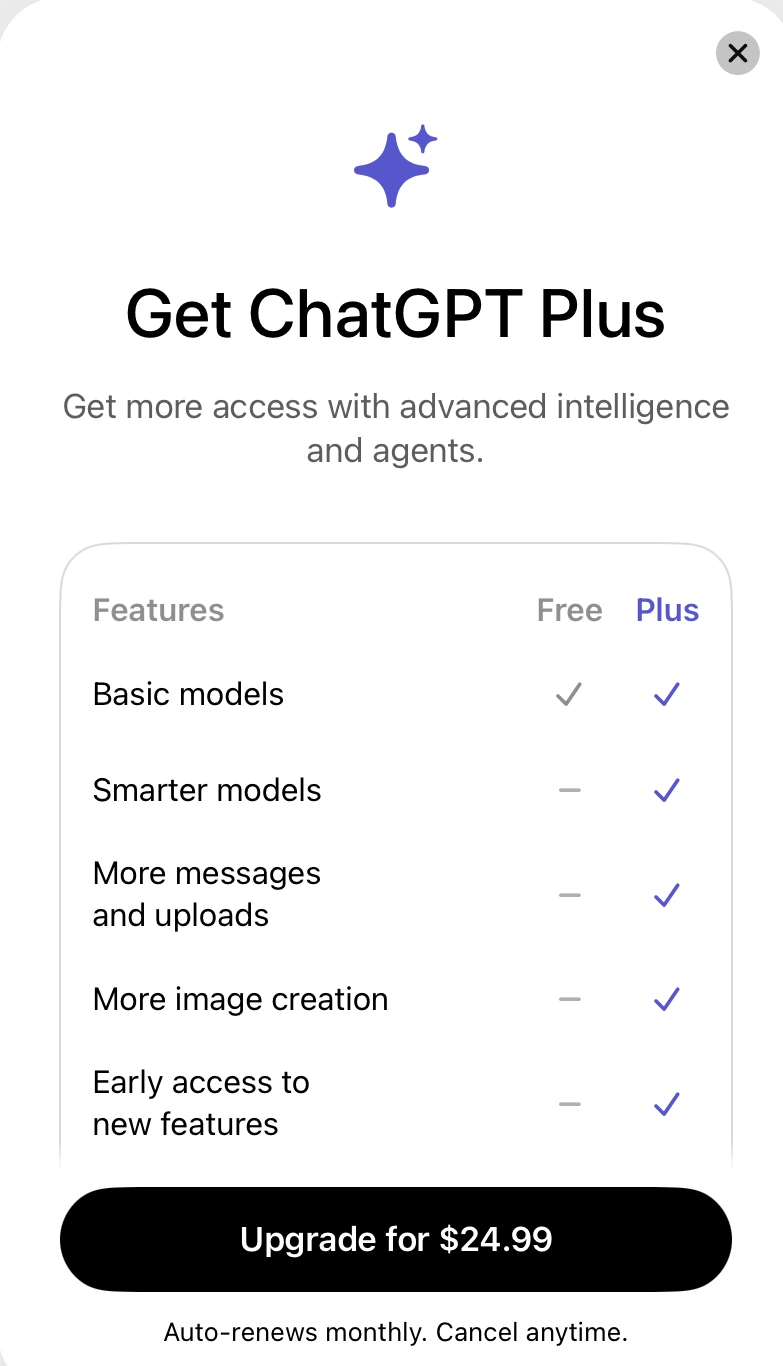
OpenAI Plus Plan Required
Free users receive limited monthly credits ($5 every 30 days) to test the platform. This does not take you very far.
In Canada, ChatGPT Plus costs US $20/month plus taxes, which ends up being ~ CAD $27-30/month depending on the province and exchange rates.
Codex is a feature of the main ChatGPT platform, not a separate app or subscription. It is an AI coding agent accessed through the existing ChatGPT plans and not a standalone product available for purchase separately in the App Store. If you subscribe via Apple’s Canadian App Store, the cost is CAD $24.99/month, or CAD $249/year for the annual plan.
Installation
The various installation methods are not interdependent. Install exactly what you need.
CLI
To install the Codex CLI, type:
$ npm i -g @openai/codex
added 1 package in 3s
Now you can launch the CLI:
$ codex
> You are running Codex in /mnt/f/work/studio_control/sc_router

Since this folder is version controlled, you may wish to allow Codex to work in
this folder without asking for approval.

› 1. Yes, allow Codex to work in this folder without asking for approval
2. No, ask me to approve edits and commands

Press enter to continue

$ 1
╭─────────────────────────────────────────────────╮
│ >_ OpenAI Codex (v0.80.0)                       │
│                                                 │
│ model:     gpt-5.2-codex   /model to change     │
│ directory: /mnt/f/work/studio_control/sc_router │
╰─────────────────────────────────────────────────╯

  To get started, describe a task or try one of these commands:

  /init - create an AGENTS.md file with instructions for Codex
  /status - show current session configuration
  /approvals - choose what Codex can do without approval
  /model - choose what model and reasoning effort to use
  /review - review any changes and find issues


› Improve documentation in @filename

  100% context left · ? for shortcuts
Typing /approvals shows that the default mode is Agent:
  Select Approval Mode

  1. Read Only            Requires approval to edit files and run commands.
› 2. Agent (current)      Read and edit files, and run commands.
  3. Agent (full access)  Codex can edit files outside this workspace and run commands with network access. Exercise caution when using.
Typing /model displays the available models:
  Select Model and Effort
  Access legacy models by running codex -m  or in your config.toml

› 1. gpt-5.2-codex (current) Latest frontier agentic coding model.
  2. gpt-5.1-codex-max Codex-optimized flagship for deep and fast reasoning.
  3. gpt-5.1-codex-mini Optimized for codex. Cheaper, faster, but less capable.
  4. gpt-5.2 Latest frontier model with improvements across knowledge, reasoning and coding
Typing /status displayed:
╭────────────────────────────────────────────────────────────────╮
│  >_ OpenAI Codex (v0.80.0)                                     │
│                                                                │
│ Visit https://chatgpt.com/codex/settings/usage for up-to-date  │
│ information on rate limits and credits                         │
│                                                                │
│  Model:         gpt-5.2-codex (reasoning none, summaries auto) │
│  Directory:     /mnt/f/work/studio_control/sc_router           │
│  Approval:      on-request                                     │
│  Sandbox:       workspace-write                                │
│  Agents.md:     <none>                                         │
│  Account:       mslinn@mslinn.com (Free)                       │
│  Session:       019bbd17-e257-7ea0-8c90-b539fa70f3ad           │
│                                                                │
│  Limits:        data not available yet                         │
╰────────────────────────────────────────────────────────────────╯
Visual Studio Code Plugin
The Visual Studio Code plugin from Anthropic is called Codex – OpenAI’s coding agent. To install it, type the following from any directory:
$ code --install-extension openai.chatgpt
Installing extensions...
Installing extension 'openai.chatgpt'...
Extension 'openai.chatgpt' v0.4.58 was successfully installed.
References